The Planet Open Data STAC provides a streamlined way to discover and access Tanager-1 hyperspectral imagery. This page explains what the Open Data STAC is, how to interpret the interface, and how to find and download the scenes you need.
What is the Open Data STAC?
The Planet Open Data STAC is a web-based catalog. It lets you browse, search, and download freely Tanager-1 hyperspectral imagery without creating an account or API key.
Scenes are organized by domain, each domain reflects a different application area or science goal (e.g., Agriculture, Snow & Ice, Urban). The same Tanager scenes may appear in multiple domains.
Figure 1 shows the Open Data STAC interface and the currently available domains (note that these may change or be updated over time):
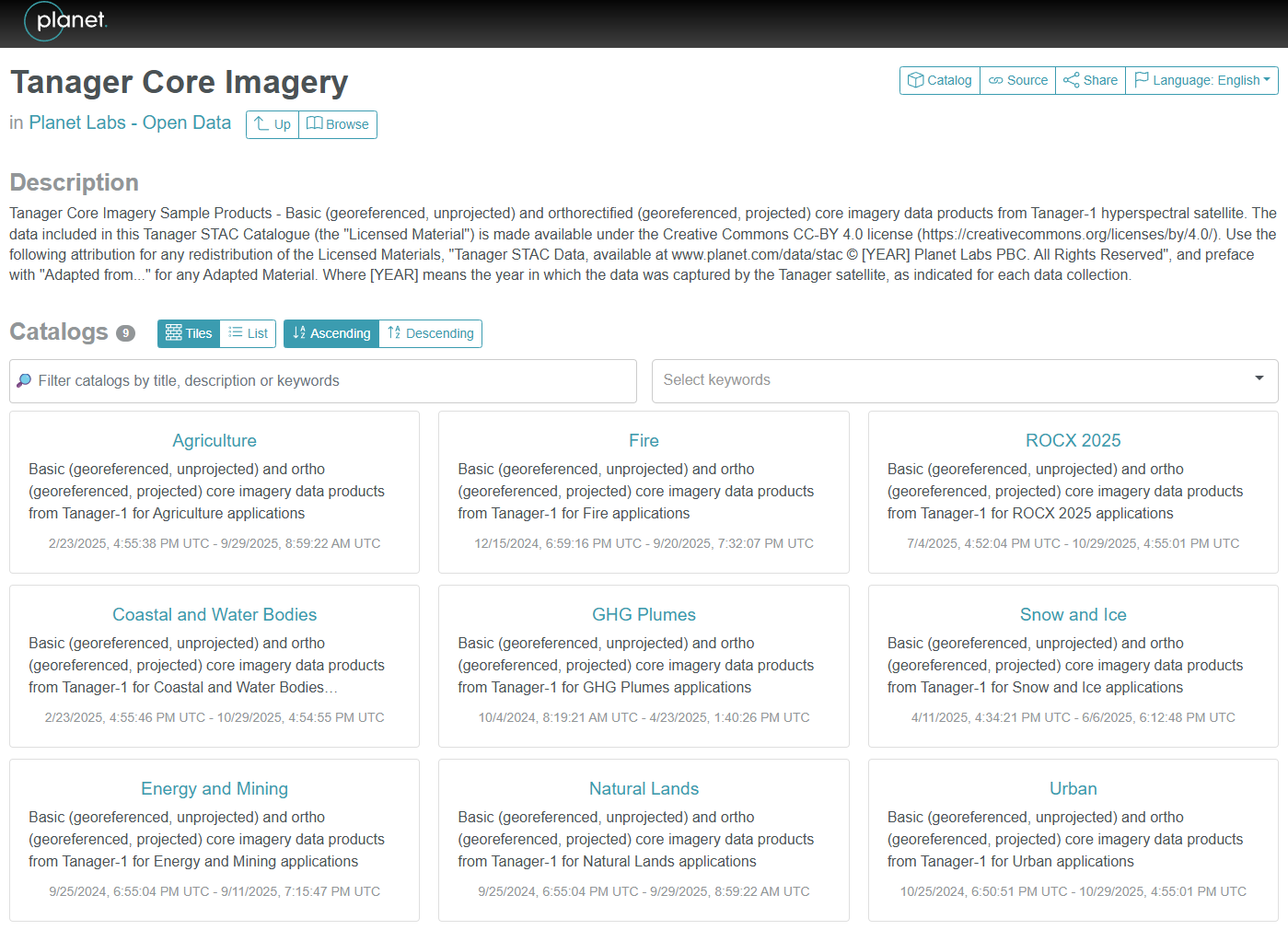
Figure 1:The Planet Open Data STAC page layout and available domains for Tanager-1 hyperspectral scenes.
How to Use the Open Data STAC
Once you understand the layout, the next step is to navigate the catalog and retrieve data. The animated walkthrough (Figure 2) shows how to discover scenes, inspect metadata, and either copy the asset URL or download the HDF5 file directly:
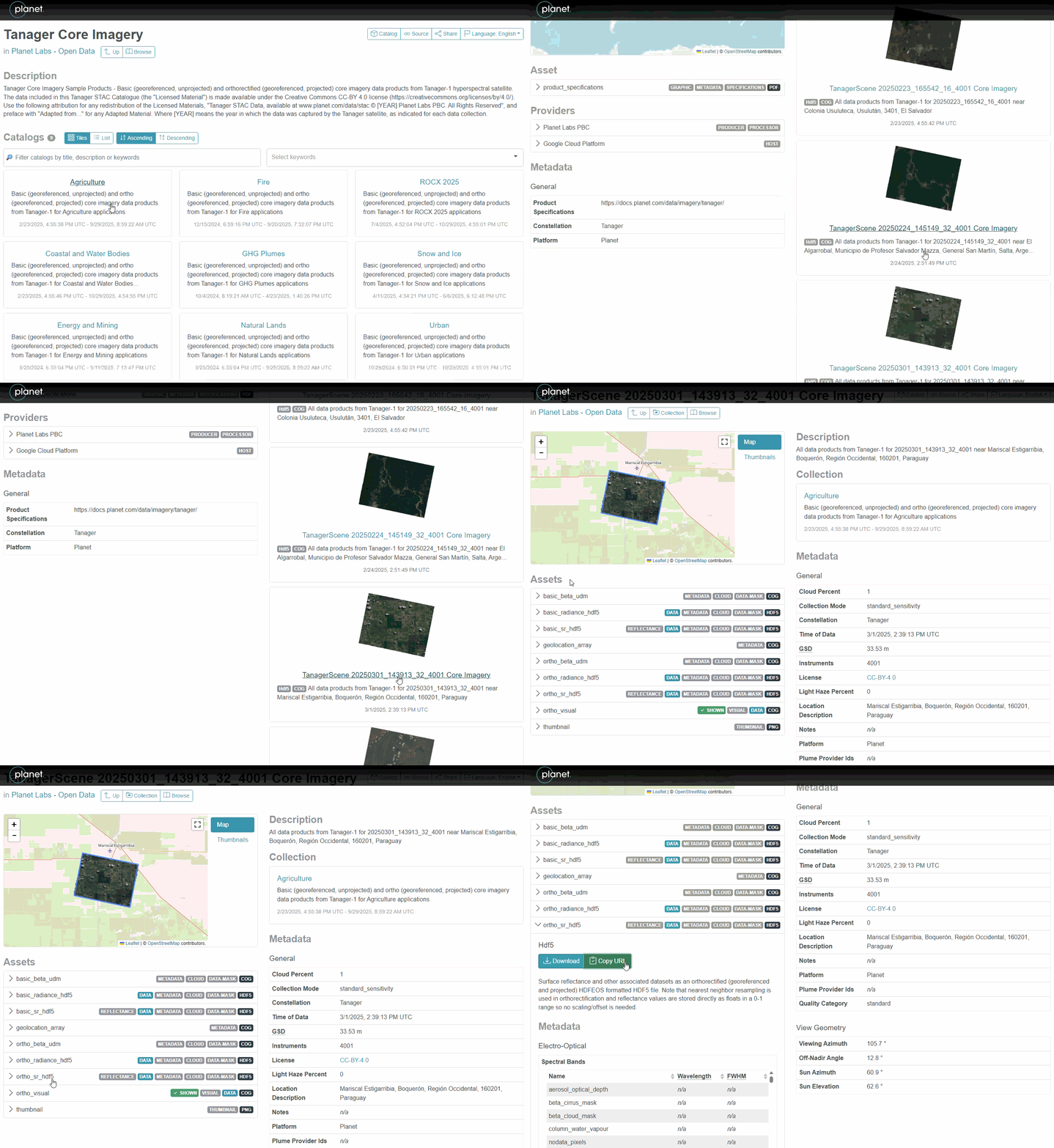
Figure 2:Step-by-step navigation—using the Planet Open Data STAC to download or copy the URL of Tanager-1 hyperspectral scenes.
Steps Highlighted in the GIF
Select a domain — Use the catalog interface to explore domains.
Select a scene — Click a scene to view its details and available assets.
Get the data — Either copy the asset URL (for programmatic access or direct download) or use the download button to save the HDF5 file locally.